

In this post, I’d like to set up an Nginx server (web server) on Windows 10 and install WordPress.
Download Nginx and place it in the root directory of the C drive

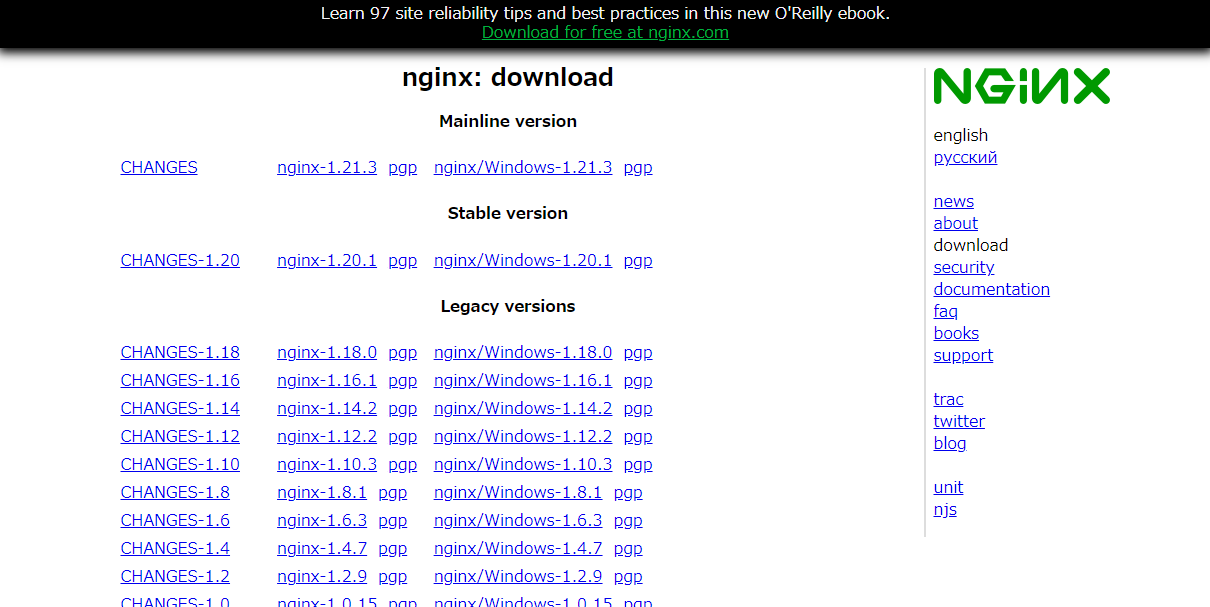
Download the Stable version, "nginx/Windows-1.20.1," extract it, and place it directly under the C drive.
Open the configuration file.
nginx-1.20.1/conf/nginx.conf
Around line 45, add "index.php" to the "index" entry.
location / {
            root   html;
            index  index.php index.html index.htm;
        }
Comment out the section around line 65
location ~ .php$ {
            fastcgi_pass 127.0.0.1:9000;
            fastcgi_param SCRIPT_FILENAME $document_root$fastcgi_script_name;
            include fastcgi_params;
to make it look like this.
Downloading and Installing PHP


I downloaded the Non-Thread-Safe version of PHP 7.4 (7.4.24) from here.
After extracting it, place it inside the Nginx folder and rename it to "php".
For the PHP configuration, copy "php.ini-development" and rename it to "php.ini".
and around line 796,
; Directory in which the loadable extensions (modules) reside.
; http://php.net/extension-dir
;extension_dir = "./"
; On windows:
;extension_dir = "ext"
extension_dir = "ext"
add `extension_dir = "ext"`,
and around line 934,
extension=php_mysqli.dll
extension=php_mbstring.dll
extension=php_exif.dll
extension=php_curl.dll
extension=php_gmp.dll
extension=php_fileinfo.dll
extension=php_gd2.dll
extension=php_gettext.dll
(Please add these as needed to ensure WordPress works correctly, such as enabling file selection.)
Downloading and Installing MariaDB

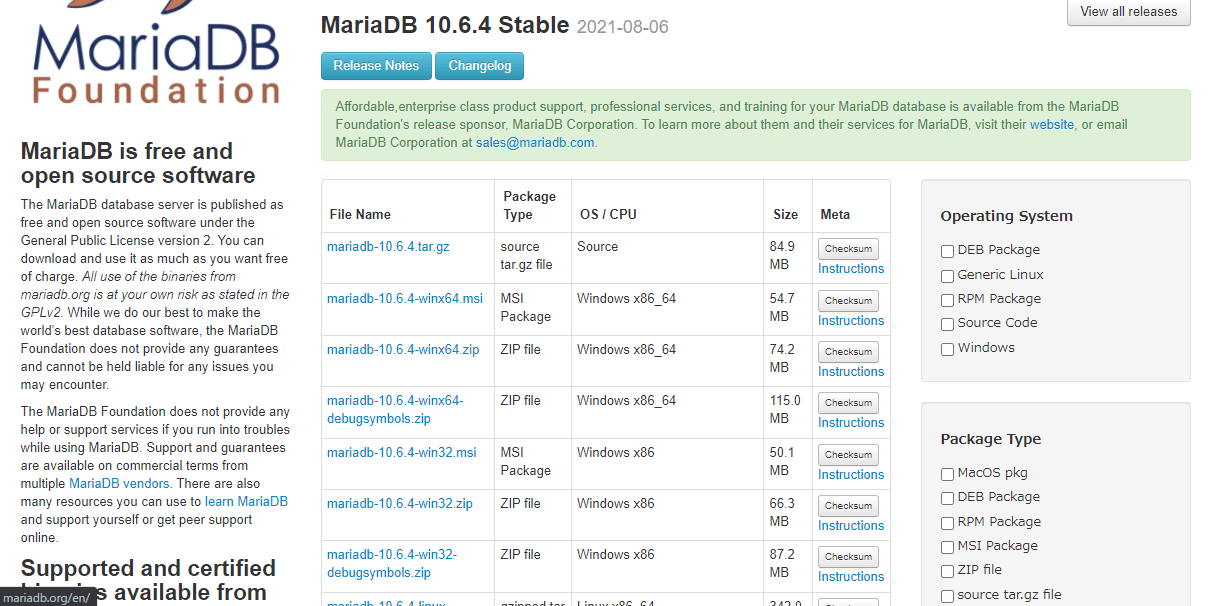
I downloaded the version 10.6.4 Stable ZIP file from this link, extracted it, and placed it inside the Nginx folder.
Name the MariaDB folder "mariadb".
When you run mysql_install_db.exe located in nginx-1.20.
1/mariadb/bin,
the nginx-1.20.
1/mariadb/data directory is created, and it contains the my.ini file.
Double-click mysqld.exe in the bin folder within mariadb to start it.
Next, open a command prompt and enter "mysql -u root" to configure the database.
Create a database named wpdb.
CREATE DATABASE wpdb character set utf8;
Create a user named "wpdbuser" and set a password.
CREATE USER 'wpdbuser'@'localhost' IDENTIFIED BY 'パスワード';
Configure the user to allow access to the database.
GRANT ALL ON wpdb.* TO 'wpdbuser'@'localhost' WITH GRANT OPTION;
Save the changes.
FLUSH PRIVILEGES;
Exit.
EXIT;


Start/Stop Batch File
For the server startup batch file, use a text editor to
start nginx.exe
start /min php/php-cgi.exe -b 127.0.0.1:9000
start mariadb/bin/mysqld.exe
and save it with the .bat extension.
For the server shutdown batch file,
Taskkill /f /im nginx.exe
Taskkill /f /im php-cgi.exe
Taskkill /f /im mysqld.exe
.
Download and install WordPress

Download the latest version of WordPress from this link.
Extract the files and place them in the C:nginx-1.20.1html directory.
Access
.
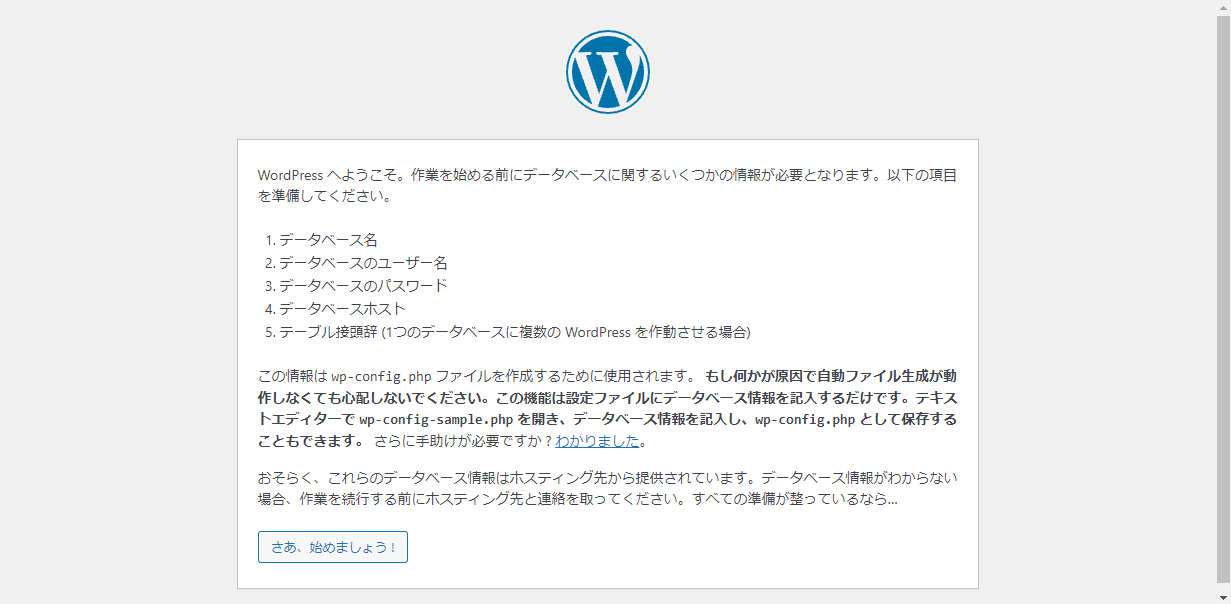
If this screen appears, you've succeeded.
Summary
Download and install Nginx, PHP, and MariaDB on Windows 10, and configure files such as nginx.conf and php.ini. Create a database and install WordPress.
Please consider supporting us


